 SeaWork
How to Use Claude Code from Your Phone (2026)
Control Claude Code from your phone: compare Anthropic's Remote Control, third-party apps, and SeaWork's local-first Claude Code + Codex workflow.
You kick off a Claude Code run on your Mac before lunch. Something big — refactor the API layer, touch a few dozen files. You close the laptop lid, or just walk to another room, and come back forty minutes later. Claude Code isn’t done. It stalled at minute four on a permission prompt — “allow this command?” — and has been sitting there ever since. Or worse: it kept going, confidently, down a path you’d have killed in five seconds if you’d been watching.
This is the actual problem with long-running agents. Not that they can’t work — that they can’t work unsupervised, and you can’t always be at the keyboard. If you could control Claude Code from your phone — the one already in your pocket — none of those forty minutes would have been wasted.
So: what are your options for running Claude Code from your phone in 2026? Here’s an honest survey.
The ways to run Claude Code from your phone
If you’ve searched for a Claude Code mobile app, you’ve probably found there isn’t one canonical answer — there are broadly three approaches, and they’re aimed at different people.
1. Anthropic’s official Remote Control. In 2026, Claude Code can hand a running session to your phone. From a local Claude Code session you run /rc — or start Claude Code with claude --remote-control (claude --rc for short). Claude shows a QR code or link, which you open in the Claude mobile app or at claude.ai/code to monitor and steer that same local session. The agent keeps running on your machine the whole time, and you get push notifications when it needs you. It’s the most first-party path, and if you already live inside the Claude app it’s the route of least resistance.
2. Third-party direct-connect apps. Some community apps — things like Happy and CC Pocket — connect your phone to Claude Code running on your own machine, though their connection model, hosted components, maturity, and visibility into agent activity vary.
3. SeaWork. That’s us. We built SeaWork to connect your phone (and desktop, and terminal) directly to the Claude Code, Codex, and Grok Build agents already running on your local machine — with the code staying on your machine. More on where that’s different below.
None of these is strictly “best.” They’re trade-offs between convenience, how many agents and providers you want to manage, and how much of your own infrastructure you want to control. Pick based on what you actually care about.
What official Remote Control does — and doesn’t
Credit where it’s due: Remote Control is genuinely useful, and it does more than a lot of people assume. You can monitor and interact with a live Claude Code session from your phone or browser, steer it mid-run, and approve the actions it wants to take, with push notifications when the agent is waiting on you. And — importantly — the session keeps running on your own machine. This is not a cloud sandbox where your code gets copied to a hosted environment; the agent stays where you started it, and your phone is just the window into it.
The trade-offs are mostly about ecosystem and scope. Remote Control pairs through the Claude mobile app and the Anthropic account model — it lives inside that ecosystem. And it’s Claude Code only: it’s designed around Claude Code sessions, not as a cross-provider dashboard that runs Claude Code and Codex agents side by side.
There are practical limits worth knowing: Remote Control requires a Claude.ai subscription and account login, may be gated by organization policy, and depends on your local Claude Code process and network staying alive. Check Claude Code pricing, plans, and token costs before choosing a tier, then check your Claude Code usage and limits when long sessions start consuming the allowance.
That’s where SeaWork is different, and it’s worth being precise about how. The difference isn’t “official is cloud, we’re local” — both keep the agent on your machine. The difference is that SeaWork isn’t tied to a single provider or a single vendor’s app: it runs Claude Code and Codex, ships its own desktop app and CLI, orchestrates multiple agents in parallel, and moves over a relay you can self-host. If a single-provider, single-app path fits you, Remote Control is a fine answer. If it doesn’t, keep reading.
When you want the agent on your machine, not a hosted environment
Here’s the first-principles argument for keeping the agent local, stripped of any pitch.
Claude Code on your laptop is already wired into your world. It has your credentials. It talks to your MCP servers. It reads and writes your actual files, in your actual repo, with your actual environment variables and tool versions. That setup took you time to build, and it’s correct.
Some hosted-agent workflows do require recreating your setup elsewhere — syncing credentials, rebuilding MCP and tool config, giving a remote environment access to your repo. If your priority is keeping the agent process on the machine where your environment already works, the cleaner pattern is to move the interface, not the agent.
So the harder-but-honest path is: don’t move the agent. Move the interface. That’s the principle SeaWork is built on — the agent stays where the work already is; the control surface comes to you.
Concretely: the SeaWork daemon runs on your development machine. Your phone connects to it over an end-to-end encrypted relay. The relay only forwards encrypted packets — it can’t read your prompts, diffs, or logs, because it never has the keys. It can still see connection metadata — IPs, timing, message sizes, session IDs — but never the contents. Your code, logs, and provider credentials stay on your machine. If you’d rather not depend on any relay at all, SeaWork is self-hosted by nature: the daemon is yours, and you can run the whole thing on your own network. Self-hosted Claude Code, controlled from your phone, without moving your agent or code into a hosted development environment.
One app for Claude Code and Codex
Official Remote Control is Claude-first — which is fine until your workflow also leans on Codex.
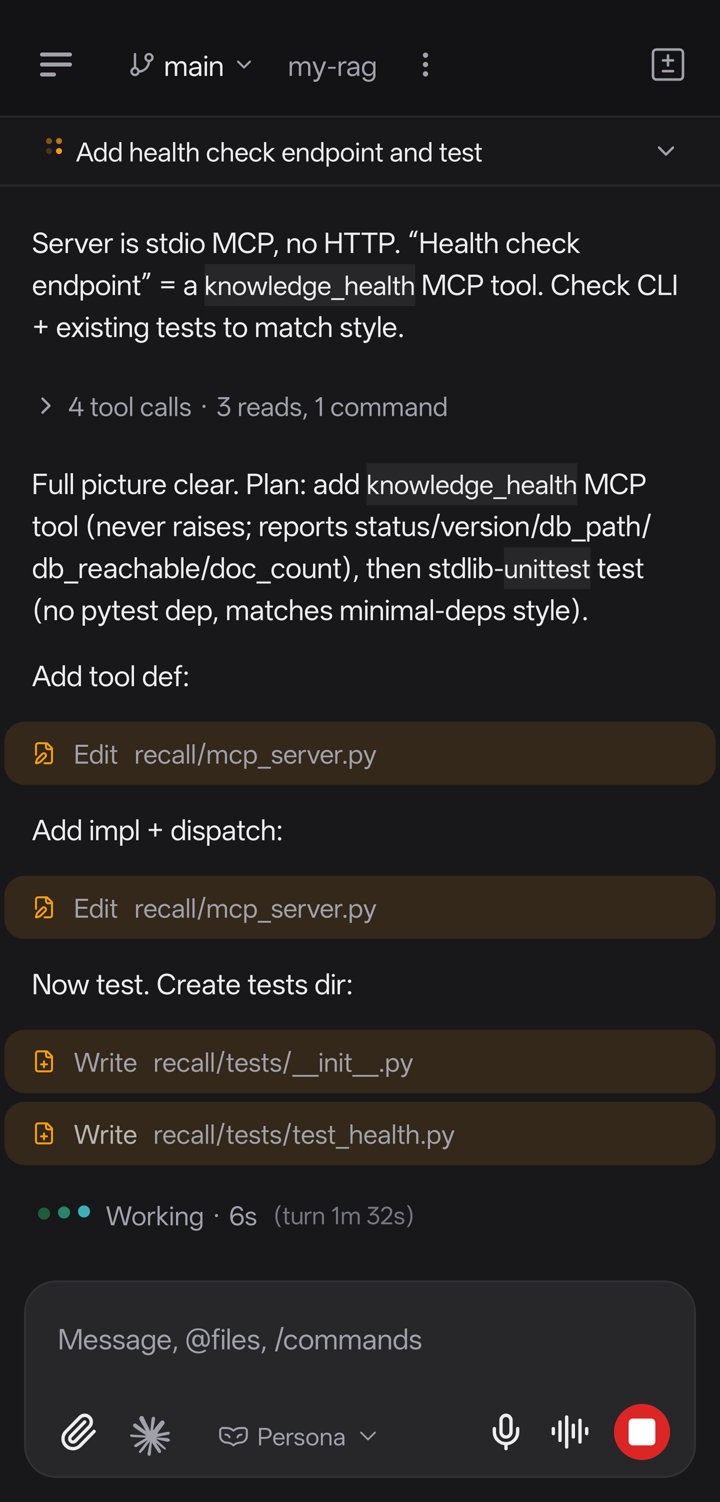
In practice, plenty of us don’t pick one model and stay there. You reach for Claude Code for some tasks, Codex for others, and Grok Build when Grok 4.5 is the right default — sometimes in the same afternoon. SeaWork runs them from a single app — Claude Code, Codex, and Grok, side by side, on your phone or desktop.
Your local Claude Code skills remain available because the agent still runs in the same environment on your machine.
It also runs them in parallel. One agent refactoring the API layer, another writing the tests for it, a third drafting the migration notes — each in its own workspace, each visible at a glance so you can see what’s running, what’s waiting on you, and what finished. For anyone splitting implementation, tests, and review across separate worktrees, a single terminal scrollback stops scaling fast. A phone that shows you every agent at once fits that far better.
Set it up in three steps
You don’t need to install a separate SeaWork daemon — the desktop app ships with it. (SeaWork drives the agents you already have, so Claude Code or Codex should already be set up and working on that machine.)
- Install the desktop app. It ships with the SeaWork daemon built in, so your dev machine is ready with nothing else to set up.
- Pair your phone. Open the mobile app and scan the pairing code. That establishes the end-to-end encrypted link between phone and daemon.
- Start a Claude Code agent. From the phone, the desktop, or the terminal.
The CLI is the fastest way to show what’s happening under the hood. These are real commands:
# Start a Claude Code agent on a task
seawork run --provider claude "refactor the API layer"

# List your agents (running and finished)
seawork ls -a

# Follow an agent's logs live
seawork logs <id> -f
Start something like that, then pick it up on your phone. You’ll see every tool call Claude Code makes as it makes them, read the full conversation, and send a message mid-run to course-correct when it drifts. And when Claude Code hits an approval prompt — the “allow this command?” gate that would otherwise freeze the run until you’re back at your desk — the request lands on your phone and you approve or reject it in seconds. That’s the forty wasted minutes from the top of this post, gone.
Using Claude Code from an Android phone
Nothing about running Claude Code from your phone is iOS-only. The three approaches above are all reachable from Android: Anthropic’s Remote Control pairs through the Claude mobile app, which is on Android, and SeaWork’s mobile app connects your Android phone to the agents on your machine the same way it does on iOS. The important thing to hold onto is where the work happens — Claude Code isn’t running on the phone in any of these. Android has no native terminal capable of hosting a full Claude Code session with your repo, credentials, and MCP servers, so the phone is always the control surface, not the host. With SeaWork specifically, you install the desktop app on your dev machine, then scan the pairing code from the Android app; from there you start, watch, and steer Claude Code agents exactly as you would from a laptop.
Does controlling Claude Code from your phone keep my code local?
This is the question worth being precise about, because “from your phone” can mean two very different things. With Anthropic’s Remote Control and with SeaWork, the agent keeps running on your own machine — the phone is only a window into it, so your code, logs, and provider credentials never leave your development environment. That’s different from a hosted-agent workflow where the agent runs in someone else’s cloud and your repo is copied there. SeaWork’s phone-to-machine link runs over an end-to-end encrypted relay: the relay only forwards encrypted packets, so it can’t read your prompts, diffs, or logs — it never has the keys. And because the daemon is yours, you can self-host the whole path on your own network if you’d rather not depend on any relay at all.
Can I approve permission prompts remotely?
Yes — and it’s the single most useful thing about controlling Claude Code from your phone, because the permission gate is what freezes an unsupervised run. When Claude Code wants to run a command it needs you to approve, that request reaches your phone as a notification instead of sitting silently on your desktop. You approve or reject it in seconds, and the run continues. This is what turns “I kicked off a long job and have to stay at my desk to babysit it” into “I kicked off a long job and can walk away,” whether you’re using Anthropic’s Remote Control or SeaWork.
FAQ
Is there a Claude Code mobile app? There’s no single official “Claude Code app” that runs the agent on your phone — Claude Code runs on a computer. What exists are ways to control a Claude Code session running on your machine from your phone: Anthropic’s built-in Remote Control (paired through the Claude mobile app), third-party direct-connect apps, and SeaWork, which controls Claude Code and Codex from one app. See Claude Code Remote Control for the first-party option in depth.
How do I use Claude Code from my phone?
Pick one of three routes. Official Remote Control: run /rc in a Claude Code session and pair through the Claude app. SeaWork: install the desktop app (it ships with the daemon), scan the pairing code from the mobile app, then start and steer agents from your phone. Third-party apps work similarly. In all of them the agent runs on your machine and the phone is the remote.
Can I use Claude Code from an Android phone? Yes. Both Anthropic’s Remote Control and SeaWork work from Android — the phone is the control surface, not the host, so there’s no need for a terminal on the device. You install/pair on Android and drive the Claude Code agent that’s running on your computer.
Does running Claude Code from my phone upload my code anywhere? Not with Remote Control or SeaWork — the agent stays on your machine and the phone is only a window into it. SeaWork’s relay is end-to-end encrypted and never sees your prompts, diffs, or logs, and you can self-host it. A hosted-agent product that copies your repo to its cloud is a different model; that’s not what these are.
Can I approve Claude Code permission prompts from my phone? Yes. When Claude Code hits an “allow this command?” gate, the request reaches your phone so you can approve or reject it remotely instead of the run freezing until you’re back at the keyboard. This works with Anthropic’s Remote Control and with SeaWork.
Can I run Claude Code and Codex from the same phone app? Anthropic’s Remote Control is Claude Code only. SeaWork runs Claude Code, Codex, and Grok Build from a single app — and in parallel, each agent in its own workspace. If you regularly switch between providers, that’s the reason to reach for a cross-provider control surface. For Grok specifically, see Grok 4.5 / Grok Build from your phone.
Where to start
Running Claude Code from your phone in 2026 is no longer exotic — the honest question is which version of it fits how you work. If you want the agent to keep running where your code already lives, controlled from your pocket, across both Claude Code and Codex, that’s the corner we built for.
SeaWork is free. Download SeaWork, read more about Claude Code on SeaWork, or follow the getting started guide to run your first agent. For the first-party option in depth, see Claude Code Remote Control; for Grok on the same surface, see Grok 4.5 from your phone; to run against more than one model, browse all AI models available in SeaWork.